Ces guides s'appliquent aux instances OctoBot en configuration manuelle. Démarrez-en une depuis l'interface node de votre OctoBot en cliquant sur New OctoBot.
Le mode node a récemment été ajouté à OctoBot dans la version 3. Consultez le guide de démarrage pour en savoir plus.
Le mode node a récemment été ajouté à OctoBot dans la version 3. Consultez le guide de démarrage pour en savoir plus.
Configuration de compte HollaEx
La traduction française de cette page est en cours.
HollaEx is an open-source white label exchange: OctoBot is compatible with every HollaEx powered exchange.
An API Key can be considered as a username that is generating to allow access to data.
An API Secret, also referred to as API Private Key is simply a password used in combination with an API Key.
Créer un compte
- Fill the on the HollaEx powered exchange you wish to trade on (or on hollaex.com to use HollaEx’s demo exchange).
Générer ses clés d’API
Générer ses clés
- Sign into your Exchange account
- Click on your profile in the top right corner.
- Click on
Security - Click on
API Keys - Click on
Generate API Key
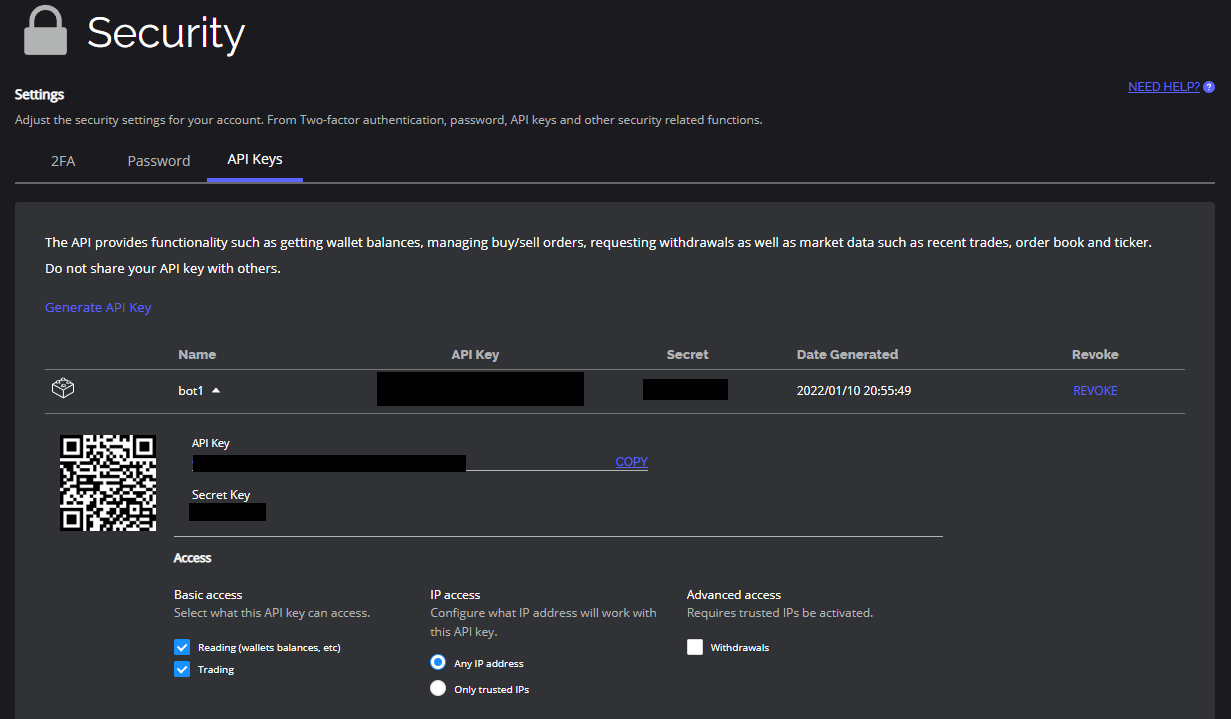
Configurer ses clés d’API
- Give a name to your API Key
- OctoBot needs the
Readfunction to be able to pull in balances from HollaEx andTradeto create new orders. - Click on Submit.
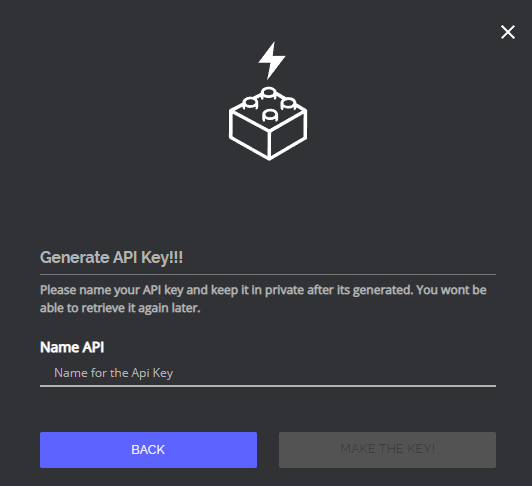
Ajouter ses clés d’API sur OctoBot
Ajouter son compte HollaEx
- Start your OctoBot
- Click on
Accountstab - Click on
Exchangeson the left menu - Click on the selector and search
hollaex - Click on
ADD
Entrer l’adresse de la plateforme d’échange HollaEx
Optional: If you are connecting to an exchange that is based on HollaEx but is not https://www.hollaex.com/, you can enter its url on the HollaEx configuration.

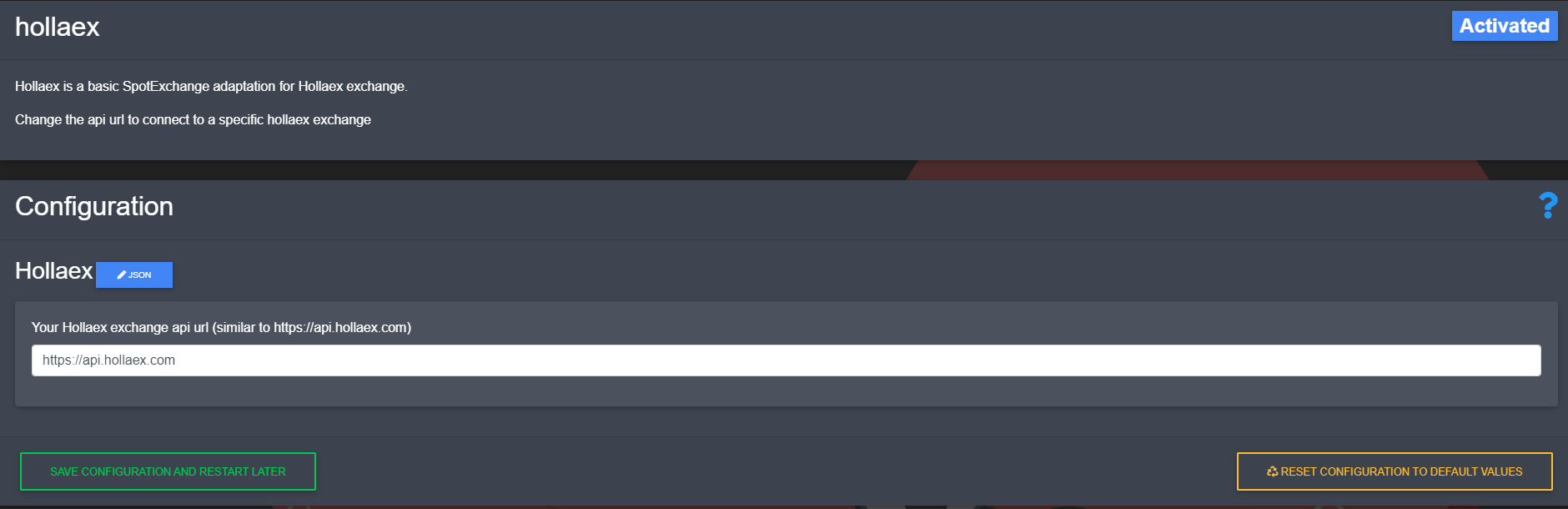
Note: after changing the url, you will need to restart OctoBot for it to take your new exchange url into account.
Ajouter ses clés d’API HollaEx
- Copy and paste
API Keyfrom HollaEx to your OctoBotAPI Keyfield - Copy and paste
Secret Keyfrom HollaEx to your OctoBotAPI Secretfield
- Click on
Save And restart